Interviews
Stakeholders, truckers, and maintenance staff helped define what the website needed to explain.
People needed to understand the service and what the demo would show. Interviews showed that the old site’s competing images made it hard to know where to go. I simplified the page structure and made the next step easier to find.

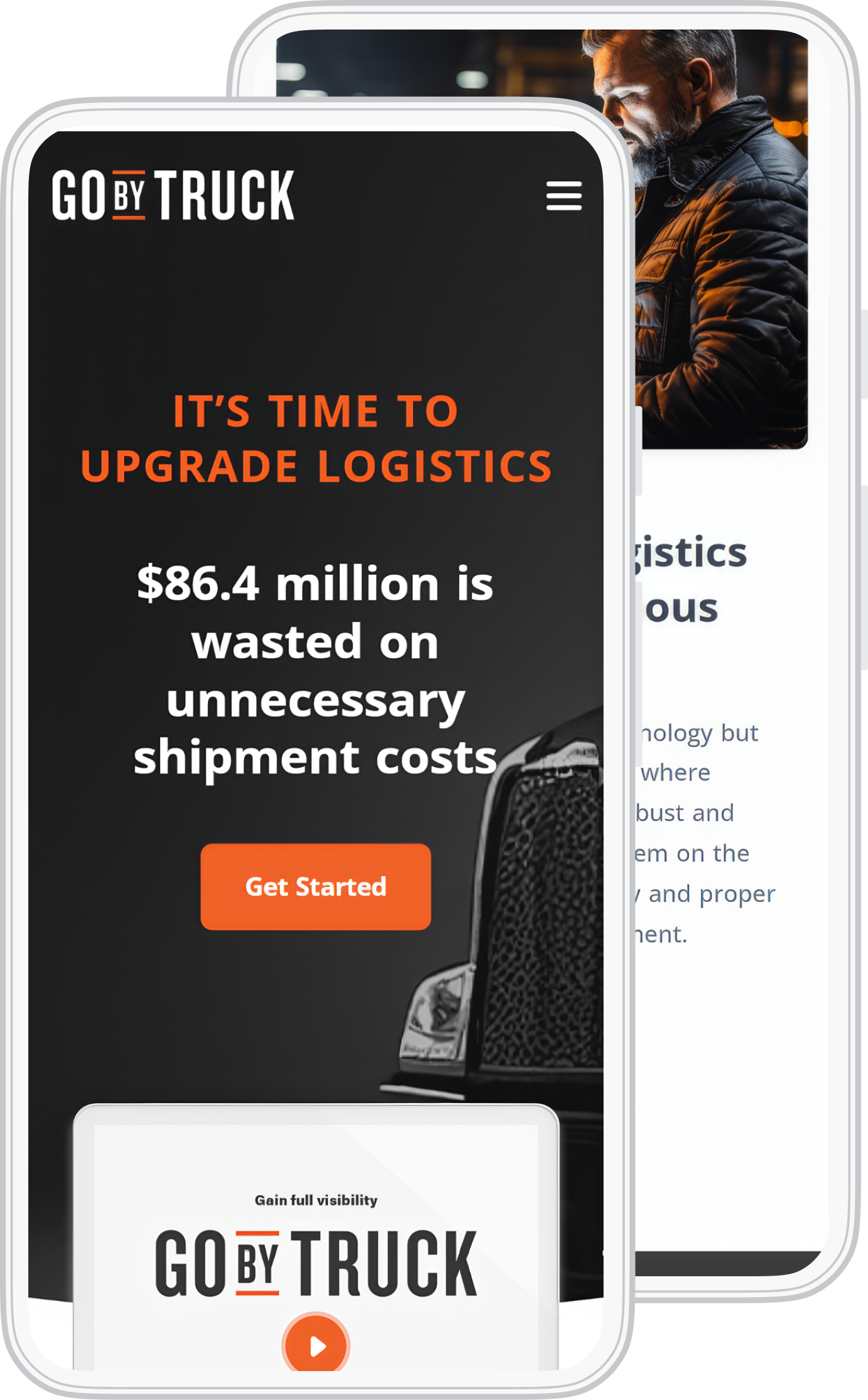
I interviewed stakeholders, truckers, and maintenance staff. I used that input to redesign the website, working through a styled wireframe and desktop and mobile page layouts. The work shown here is the website that explains Go By Truck’s services.
01Interviews
I interviewed stakeholders, truckers, and maintenance staff about the website. People described a site that felt messy with images. They needed a clear message and an obvious place to go.
People also needed to know what the demo was for and how to request it. A button needed to sit with enough context to make that decision.
I used that brief to organize the service information, audience choices, and main action. The wireframe and page designs below show how I worked through it.
The design question
How do we explain the service and give people a clear reason to request a demo?
02Before + after
The original homepage put shippers and carriers below its opening message. In the redesign, those audience choices are visible in the main navigation, alongside service information and the next step.
Compare the opening message, audience navigation, and main action. Both images are original project artwork.

The earlier site spread its introduction across several image-led sections. Shipper and carrier choices sat below the opening content.
Enlarge imageThe redesign brings audience choices into navigation and keeps a visible action near the service message.
Enlarge imageThe artwork includes the company’s original marketing copy. Figures pictured inside the screens are not results of my redesign.
03Styled wireframe
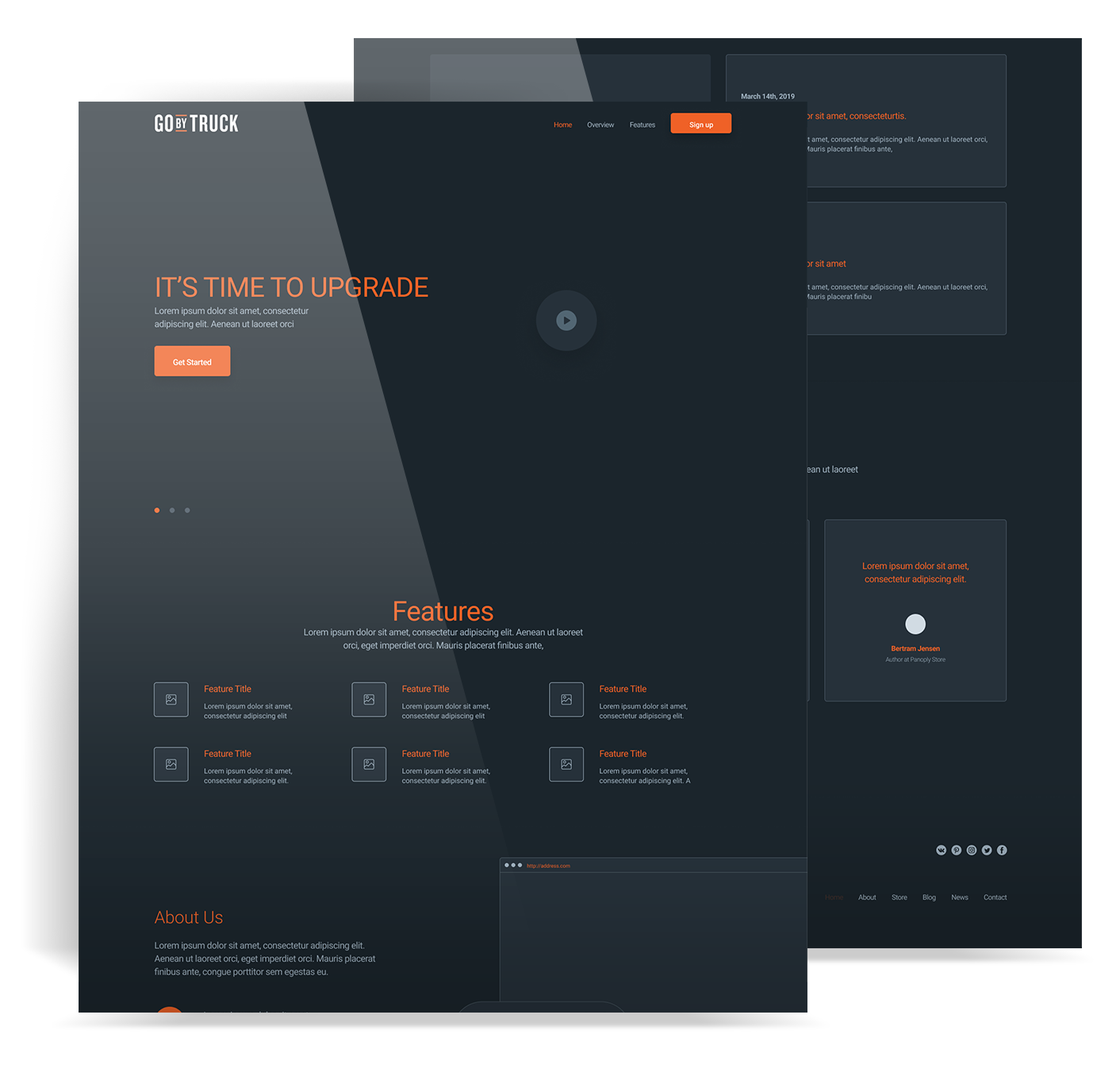
This is my original styled wireframe. It established the page order and visual hierarchy while the content was still taking shape.
Original project artwork
Placeholder text is part of the original wireframe. Look at the section order and the position of the main action.
A headline, main action, and video area give the page a clear opening.
Repeated blocks make the service details easier to scan.
About information and other detail follow the introduction.
04Page design
People needed a reason to take the next step. I gave the website a more ordered way to present the service, show its features, and direct visitors to the relevant information.
The service explanation and demo action work together. The expanded menu gives visitors context before they choose a page.
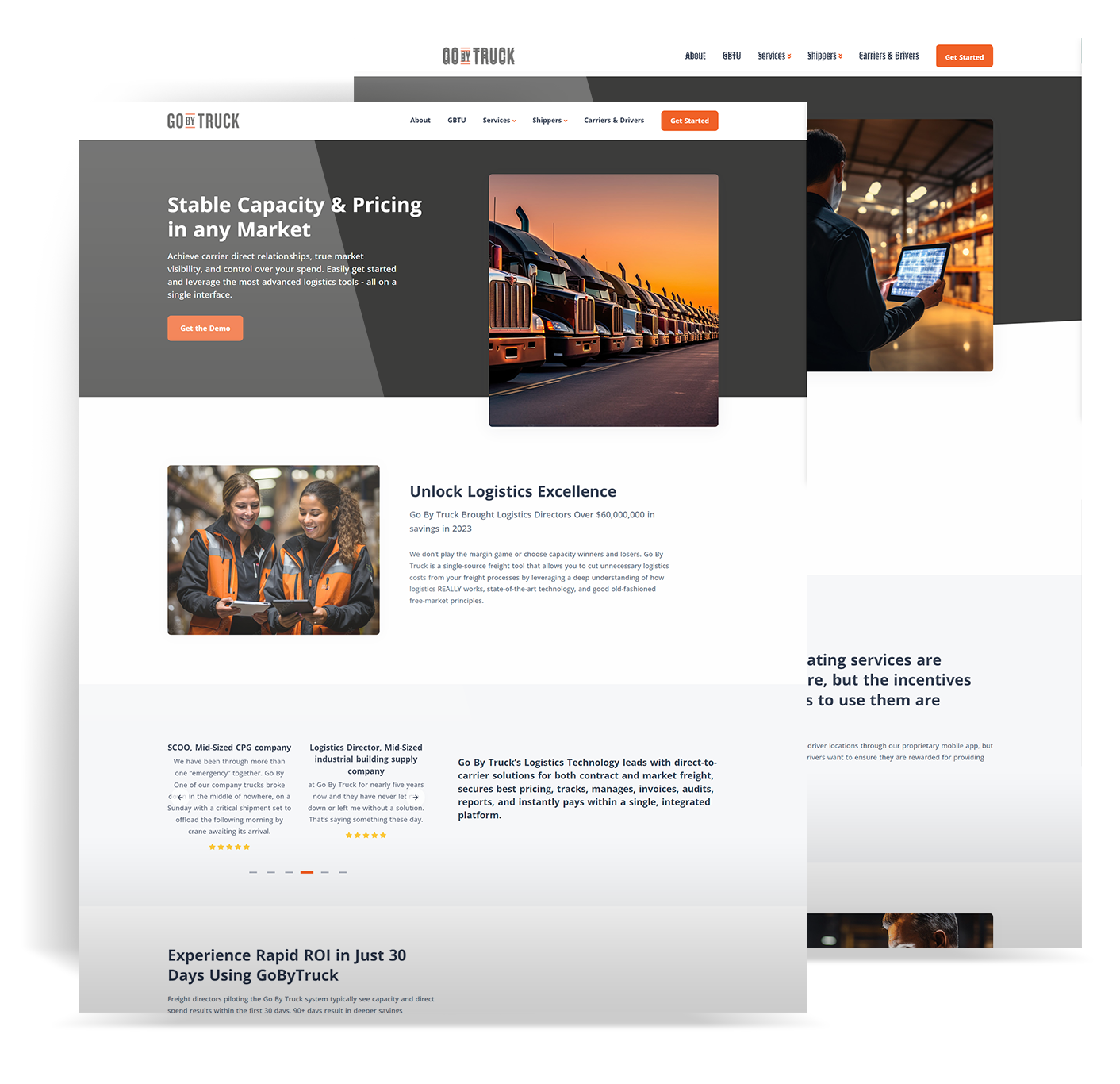
The headline, explanation, and demo action appear together near the top. More detail follows in separate, readable sections.
Enlarge image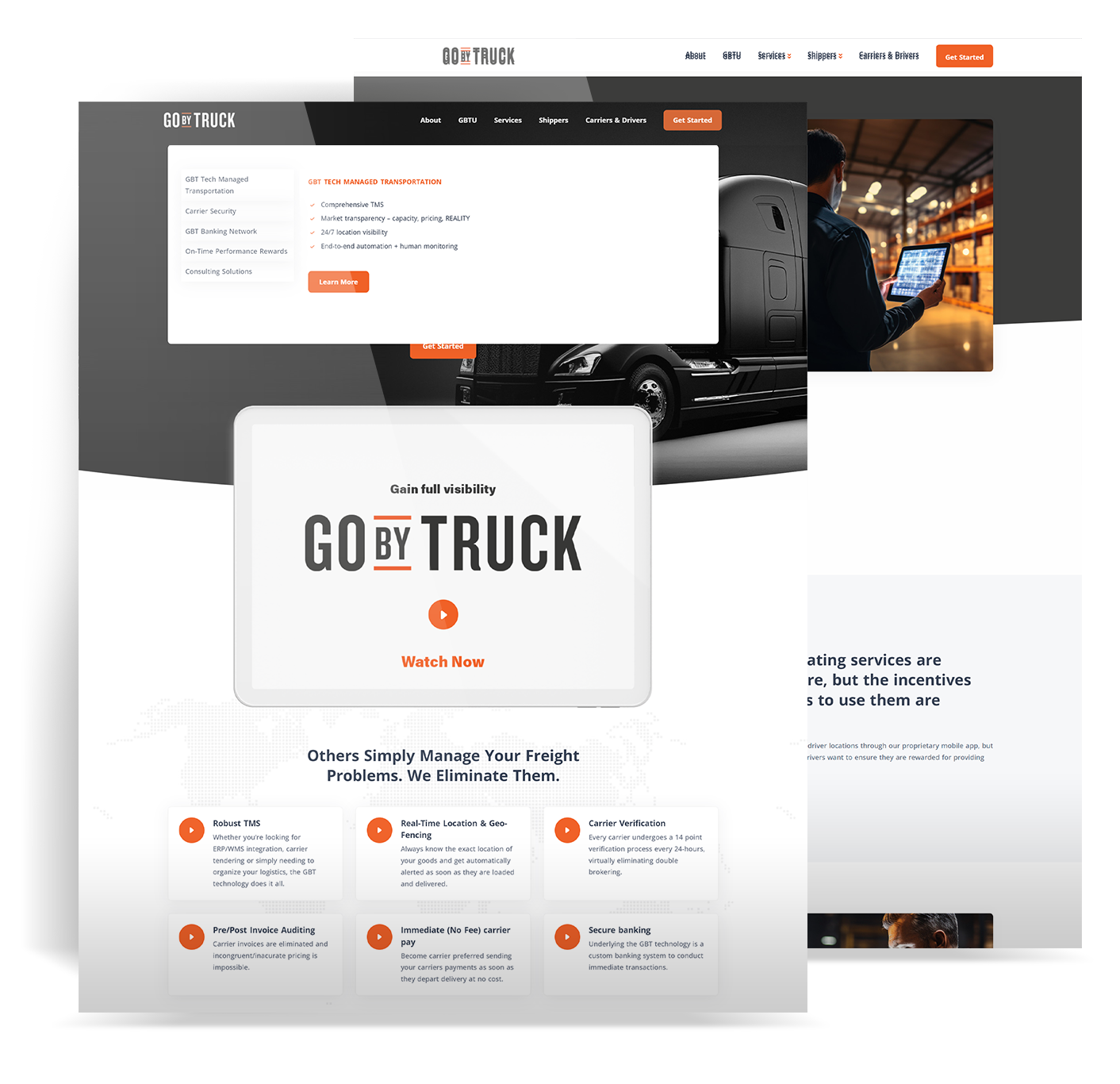
The expanded menu pairs service choices with a short explanation. Shippers and Carriers & Drivers remain distinct choices in the main navigation.
Enlarge image05Mobile
The phone layout carries the same service introduction into a smaller screen. The main action follows the message, with supporting information below it.
Original mobile artwork
The opening message, main action, and explainer video follow one reading column.
06Delivered work
I took the interviews into the page structure, styled wireframe, and responsive layouts. The redesign gives people a clearer introduction to Go By Truck and a more visible route to the demo.
Stakeholders, truckers, and maintenance staff helped define what the website needed to explain.
The original wireframe established the section order before the final pages.
Service pages and navigation carried the design across desktop and mobile.
Measurement: I did not have access to post-launch analytics. Traffic and conversion results are not reported here.